
A workbench for making CAD parts with Claude Code.
You point at the part. The agent writes the build123d code. torno builds it every time you save, and checks the numbers on the real geometry.
New and early. Linux and macOS. Apache-2.0.
The loop
One turn takes a prompt and a save. The numbers the agent is told come from the B-rep, not from the mesh, and say whether they are exact.
You point at the part
Pin a face, measure an edge, draw on the view. Each mark has a ref like lid/F12 and a note.
Claude Code edits the model
torno sends your prompt with the marks as refs. The agent looks and measures through torno's MCP tools, then edits the Python.
The kernel rebuilds it
On save, build123d rebuilds the model in a worker and the window shows the new parts.
torno checks and tells the agent
Each dimension is measured again on the B-rep and passes or fails. The agent hears which, with the number.
Twenty seconds of it
An airbox in a scan of its engine bay. A pin on the tub wall asks for 3 mm. Claude Code looks, measures, edits; the model rebuilds and the dimension passes.
The window

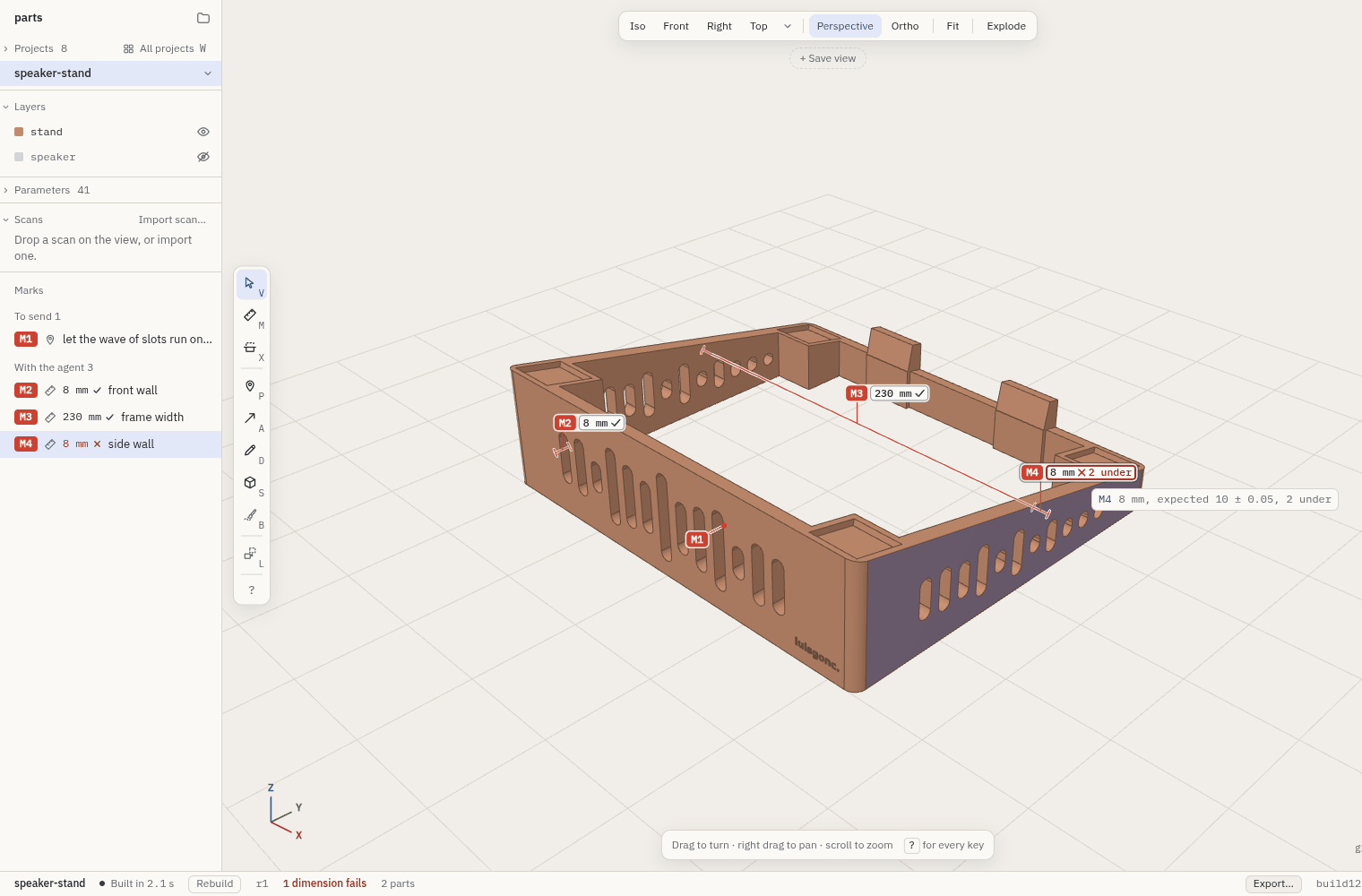
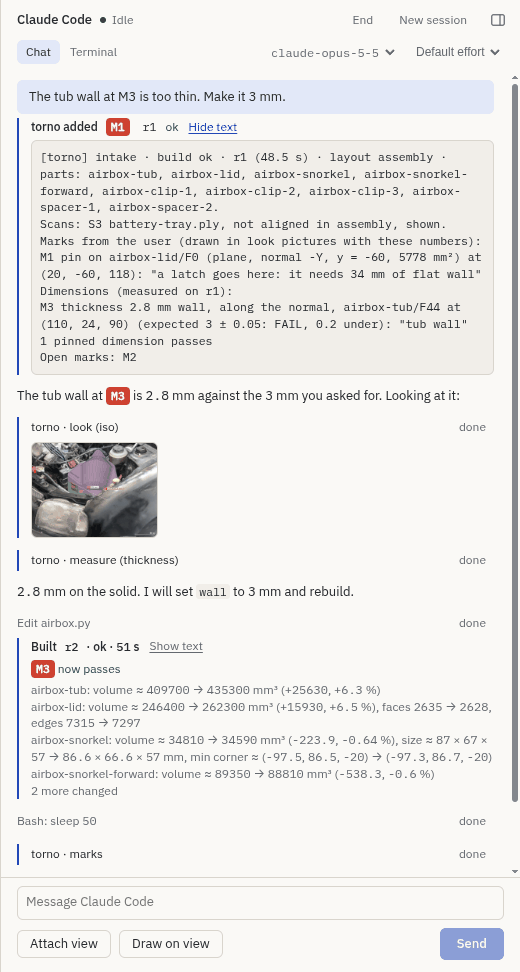
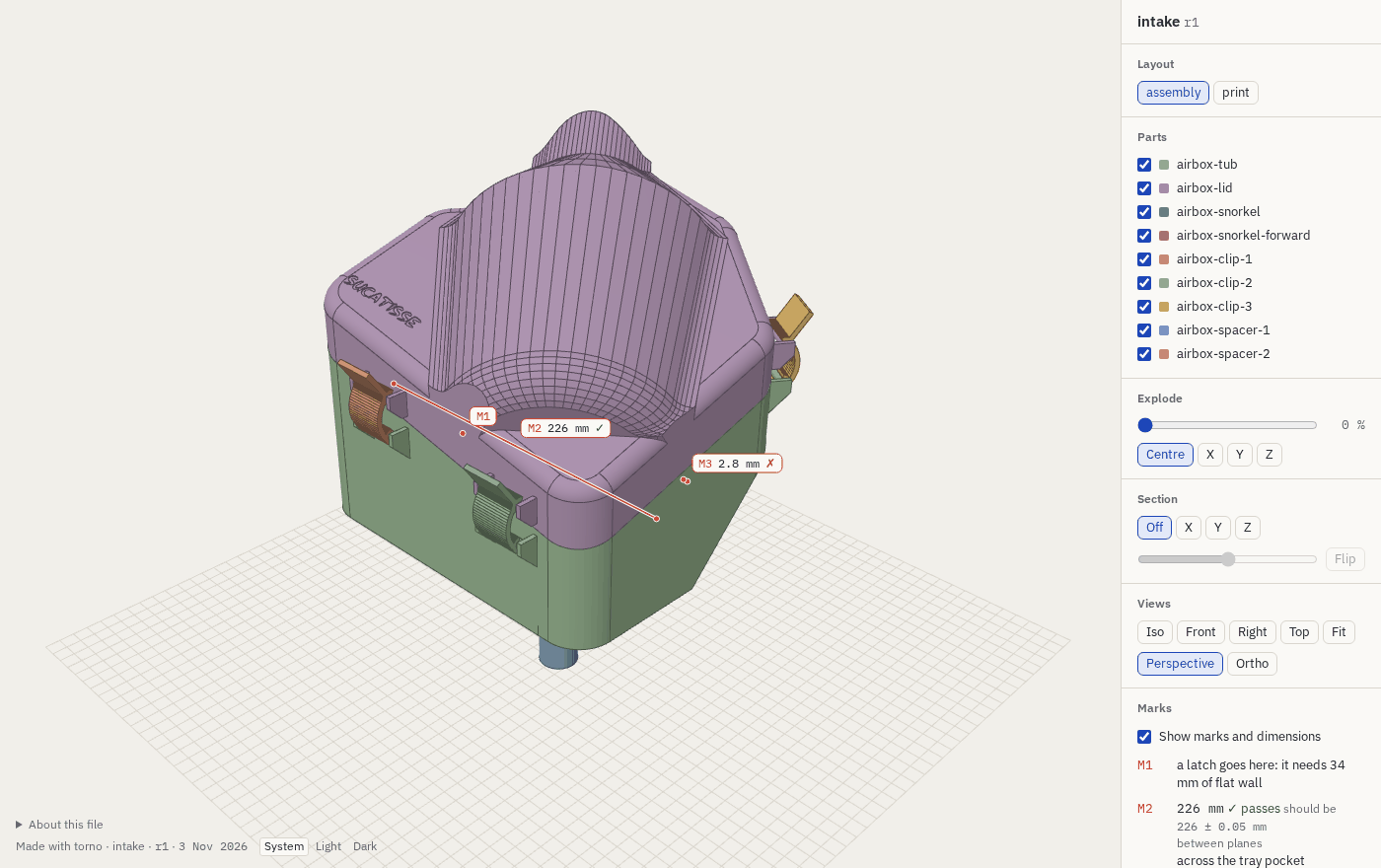
What goes well, and what does not
Goes well
- Prismatic parts with sizes you measured
- Brackets, enclosures, holders
- A lid and a box, hole patterns
Needs more from you
- A part that must fit a place you can only scan
- An assembly of more than three or four parts that touch
Does not go well
- Organic shapes described in words alone
- Gears and threads written by hand
- Sizes read from a photo
Whatever the part, give a measured number, a scan or a dimension mark in place of a description. The manual has the lists.
Requirements and run
You need
- Linux or macOS (not Windows)
- Node.js 22.12 or later, and pnpm 10
- uv (it fetches Python 3.11 or 3.12 if you have neither)
- Claude Code on your
PATH, logged in
torno checks all of this on its first screen and says what is missing. The first build sets up its own Python environment with build123d (about 900 MB, once). More in Requirements.
Then
git clone https://github.com/luisg0nc/torno.git
cd torno
pnpm install
scripts/torno ~/projects
The launcher rebuilds the app when the sources change. On the first screen, "Open the example" opens a small project in a temporary copy. More in Run.
Run it, or help build it
Run it
Four commands. Needs Node.js, pnpm, uv and Claude Code, as listed above.
git clone https://github.com/luisg0nc/torno.git
cd torno
pnpm install
scripts/torno ~/projectsCollaborate on GitHub
torno is new, and it has rough edges. Good places to start:
- Open an issue for a bug, or a part it got wrong
- Read CONTRIBUTING.md
- Send a pull request. They are welcome